Speeding up your labeling work is what Segments.ai is all about. Today we’re excited to launch a new feature that helps you segment images even faster.
Autosegment
Creating image segmentation labels is already very easy on Segments.ai: with our Superpixel tool you can label an entire image in just a couple of clicks. The Superpixel tool is however not ideal for labeling thin structures and very high-res images. This is where Autosegment comes in.
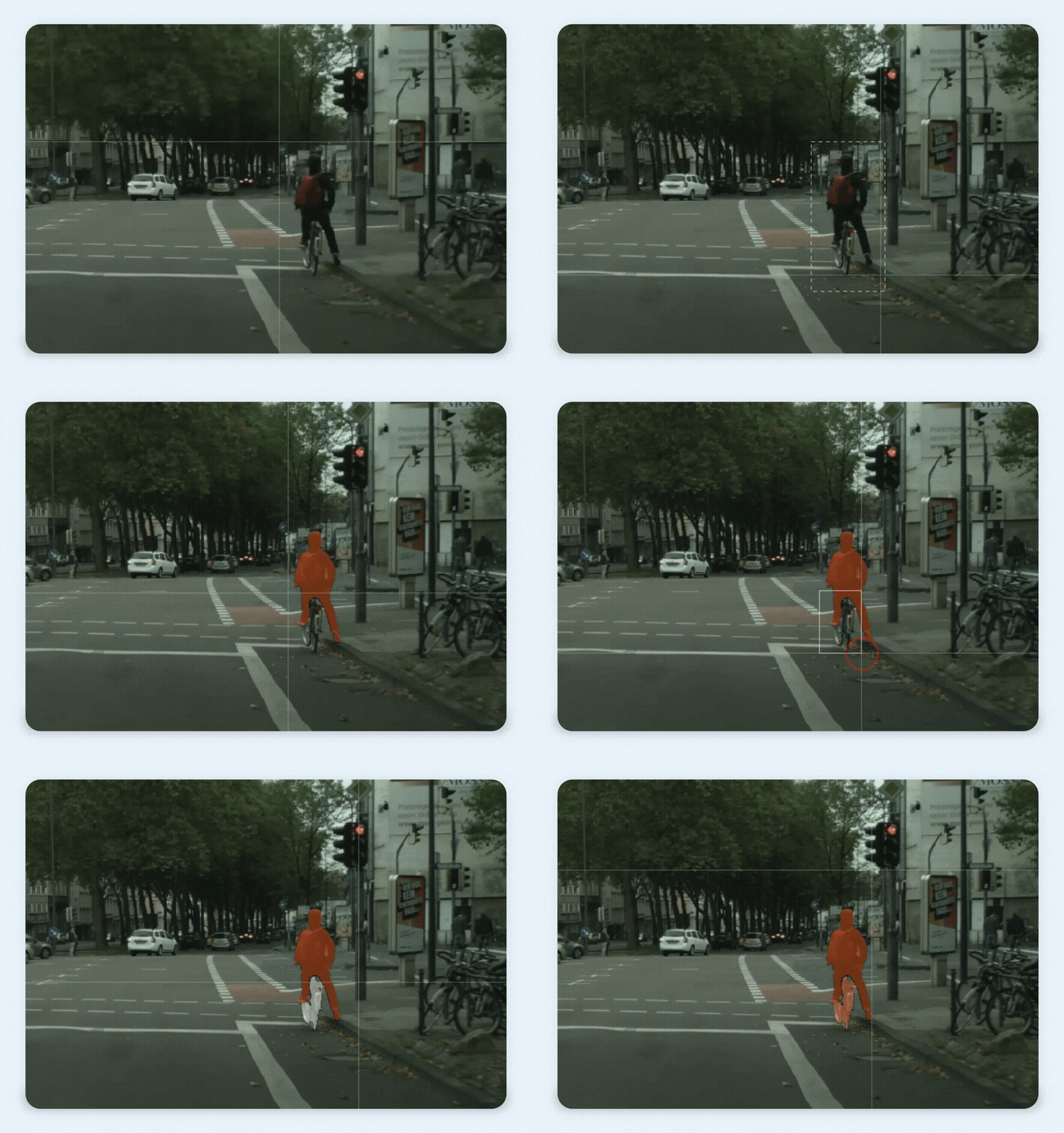
Using Autosegment is as simple as drawing a box around the object you want to label. The tool then automatically generates a segmentation mask for the foreground element in the box. Autosegment can handle a wide variety of shapes and is designed to deal with imprecise bounding boxes. This means you don’t have to draw a perfect box in order to obtain a perfect segmentation mask. Additionally, you can also use the tool in eraser mode to remove (parts of) an object from the active selection.
Autosegment is a powerful companion to our superpixel tool. Try it out and let us know what you think!
Design refresh
As you might have noticed, we’ve recently made some cosmetic changes to our platform to give it an overall fresher look. This is part of a larger redesign project where we will improve the UX/UI of some pages, so don’t be surprised if you see some more changes in the coming weeks.

Performance improvements
We’ve optimized the performance of the point cloud cuboid interface for scenes with many cuboids. Whereas previously, the interface could become slow and laggy as the number of cuboid annotations increased, it now stays running smoothly even on older hardware.