Jump to section
Tracking attribute changes across sequences shouldn’t feel like detective work.
Yet that’s been the reality. To check if attributes were correct, you opened frame 1, checked the sidebar, moved to frame 2, checked again, moved to frame 3. One by one through the entire sequence. Miss a single frame where an attribute flips incorrectly, and the error goes through.
There was no way to see how attribute values evolved over time. You had to reconstruct that mental picture yourself, frame by frame.
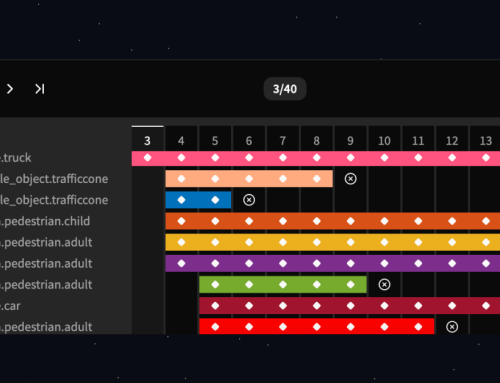
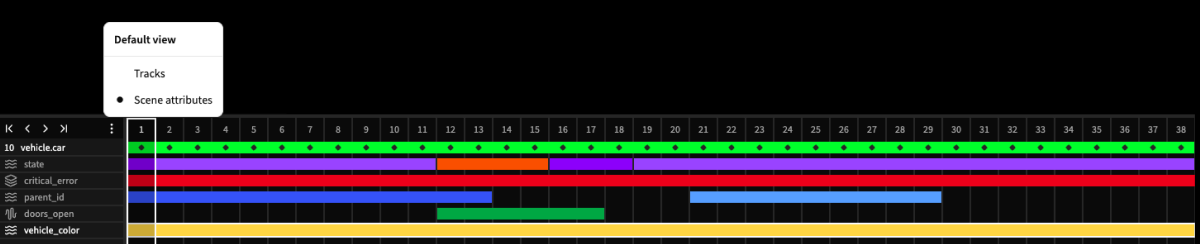
This update changes that. The timeline now shows you all attribute values across a sequence in a single view. Inconsistencies that used to hide in individual frames now jump out immediately.
What changed
See attribute evolution, not just attribute states
The timeline displays attribute values for selected tracks across the entire sequence. Instead of checking each frame individually, you see the complete picture.
What this unlocks
For labelers: Catch your own mistakes before they become QA issues. Forgot to set an attribute on frame 47? You’ll see it immediately in the timeline view.
For pre-label review: Scan an entire sequence in seconds instead of sampling frames and hoping. Attribute errors that would have required checking every frame now stand out instantly.
For QA: Spot inconsistencies and jump directly to the problem frame. No more clicking through sequences trying to find where something went wrong.
Built on the foundation
The first timeline update introduced the new layout and track visualization. This second cycle delivers on the core problem we set out to solve: making attribute changes visible and manageable.
Future updates will continue refining the experience based on how you use it in production workflows.
Available now
The updated timeline is live in all datasets. Select any track to see its attributes displayed in the timeline, or expand the view to access full editing capabilities.